How to protect your privacy from facial recognition technology
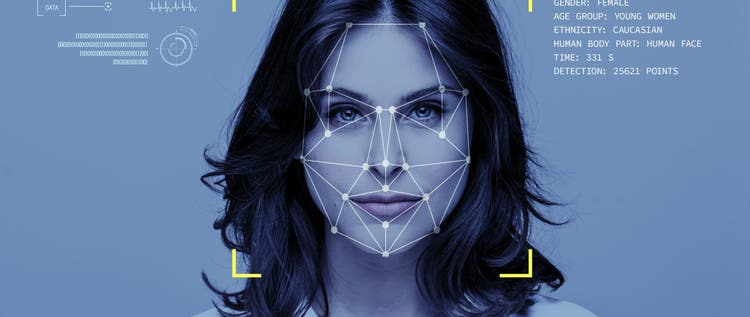
- How it works>>How does facial recognition technology work?
- Why it's a problem>>Why facial recognition technology is a problem for privacy
- Protecting your privacy>>Ways to protect your privacy
- More information>>For more information
This post has been modified to reflect new information since its original publication.
In Shenzhen, China, street-mounted surveillance cameras—using the latest facial recognition technology—capture the faces of jaywalkers. The local police then broadcast these faces on a large outdoor screen to shame the offenders and encourage others to avoid committing the same crime.
Granted, you are unlikely to experience an Orwellian scene like the one described above unless you live in China. However, this technology still poses a risk to your privacy, as you’ll see below.
How does facial recognition technology work?
Facial recognition technology is a type of biometrics, similar to eye/iris or fingerprint scanning systems. There are several different types of facial recognition technology, but they all work in a similar fashion:
- A photographic device captures your face: Any image or video will do. You can be photographed alone or in a crowd. And you don’t have to be looking straight ahead.
- A facial recognition program measures your face: Facial recognition software scans your face in a variety of ways, including thermal imaging, 3D face mapping, landmark cataloging, mapping the distance between key facial features, geometric analysis, and skin surface texture analysis.
- The software then compares your facial signature to a database of known faces: Using deep learning, the facial recognition program compares your faceprint to the millions of facial signatures stored in one or more databases.
- It verifies your identity: The software matches your faceprint to an existing faceprint and assigns that identity to your facial signature.
Why facial recognition technology is a problem for privacy
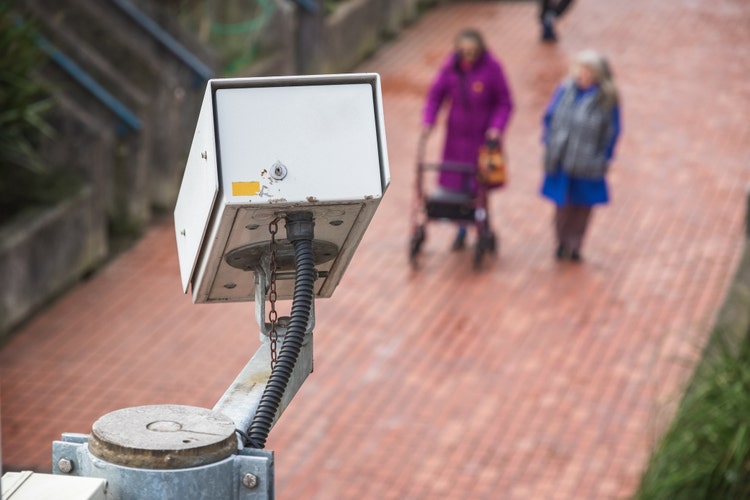
If you’ve ever posted your picture online, your face is probably stored in the ever-growing array of facial recognition databases. In fact, nearly half of all Americans (117 million) have their facial data stored in one of these databases, most without their knowledge.
Even more concerning, as facial recognition technology becomes more pervasive—with federal authorities, cell phone makers, social media platforms, retailers, and others employing the technology—the more vulnerable it is to misuse, and the more likely it is to threaten your privacy.
Some of the dangers include:
- People tracking your information from social media: When an individual gains access to your faceprint, he or she can search your image on the Web to find your name and your social networking profiles. From there, that person can easily find out more sensitive information about you, like your age, what house of worship you attend, where you work, and the names of your friends and family members. (There’s even a special tool that makes this easier to do.) Identity thieves can then use this information to steal your identity and hack into your accounts.
- Stalkers identifying your location from your picture: If someone can see your picture in a database, they can use the clues in the picture’s background to find out where it was taken. For example, if your picture includes the arrival sign at a subway stop, people can assume you take that train and wait for you there.
Ready to protect your identity & secure your private information?
- Law enforcement mistaking you for someone else: While the technology used in facial recognition has improved dramatically in recent years, it is still prone to errors, and they are particularly bad at correctly identifying ethnic minorities (PDF) and women. (This is because the datasets that trained the software were mostly male and white.) Even the most highly advanced systems can have false-positive error rates of up to 10%. While a 90% accuracy rate might sound good, it is still an unacceptable risk if it results in the police arresting an innocent person—which is exactly what happened to this New York teenager.
- Government agencies keeping tabs on your activities: As Americans, we have always prided ourselves on being able to move about freely, knowing that law enforcement officers won’t stop us and demand our identification without cause. Facial recognition technology changes this by making these identifications remote, secret, and potentially pervasive. Moreover, law enforcement’s use of facial recognition technology to quickly identify any individual—even if that person has done nothing suspicious—could chill our constitutional freedoms of expression and association as laid out in the Fourth Amendment. This is particularly true when police use this technology to identify people at political protests.
Ways to protect your privacy
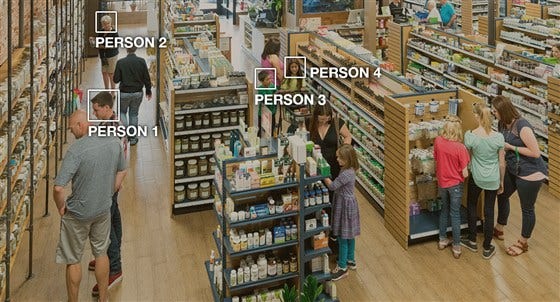
Because facial recognition technology can’t work without a photo, the most effective way of staying out of facial databases is being careful how and where you share your pictures. Follow these tips make your photos more private:
On photo-sharing sites
Has your personal information been exposed online?
Check the user agreement and see if you are sharing your photos under a Creative Commons license. In early 2019, NBC News reported that IBM had created a facial recognition database of nearly 1 million photos supplied by the photo-sharing site Flickr. This caused a heated online discussion about IBM’s right to “scrape” these photos without the users’ knowledge or consent. But, as it turned out, these photos had all been published with a Creative Commons license, which means others can use your pictures for academic purposes—like training facial recognition software.
On social media platforms
Some social media sites, like Facebook, use facial recognition software that analyzes photos you upload to suggest which individuals you should tag, and it does so with a 98% accuracy rate. When someone you are friends with tags you in a picture, he or she is helping the algorithm learn to more accurately identify your face. Luckily, there are ways to opt out of Facebook’s facial recognition system.
To turn off facial recognition on Facebook:
- Click the arrow icon in the top right of the site if you’re using Facebook on a desktop. If you’re on a mobile device, go to Settings.
- Click “Settings.” Then, click “Face Recognition” in the left-hand corner.
- Finally, go to Edit Your Preferences and select “No.”
You should also review your Facebook photo privacy settings to see who can view photos of you. Then, you can begin untagging photos of yourself and asking your friends not to tag you in future posts.
It’s also a good idea to set your Instagram and Twitter accounts to private to reduce the number of people who can view your pictures.
On smart home assistants
Ready to protect your identity & secure your private information?
Google’s newest smart home device, the Nest Hub Max smart display, features a camera that’s always looking for your face. Called Face Match, this feature uses facial recognition technology to store your faceprint. Once it’s learned to identify your face, it can offer you personalized data, such as your Google Duo messages and calendar appointments, whenever you tap on the screen. Because this technology gives Google a copy of your face, there is always the potential that this image might be exposed as has happened with home assistant voice recordings.
For more information
When it comes to protecting your privacy, the best thing you can do is to stay informed. To this end, we offer a number of online privacy articles on our Resource Center, including the following:
- How to clean up your digital footprint
- The complete guide to removing personal information from the internet
- Top 5 social media privacy mistakes
- Why geotracking is a growing threat to online privacy
- Top 10 reasons to keep your personal information private
You can also give us a call, 24/7, for a free consultation about your privacy issues and whether one of our privacy products might be right for you.
Need assistance? Talk to an expert.
All ReputationDefender consultations are free, confidential, and without obligation.
Call 877-492-5209 or Schedule a Consultation